Free · Kodak 2383 print emulation
The 2383 LUTs.
The print LUTs from the video — the 2383 print-film look, set up the way I show it: wrapped in color-space transforms so it drops straight onto DaVinci Wide Gamut, ACEScct, or LogC3 footage. No email, no catch. The download starts when you click.
.zip · 9 × .cube · DaVinci Resolve & any LUT-capable app
What’s inside
Nine LUTs — the 2383 print in three working spaces, each balanced for three print whites. Drop the one that matches your timeline on a node after your grade.
DaVinci Wide Gamut
DWG / DaVinci Intermediate
- 2383 · D55
- 2383 · D60
- 2383 · D65
ACES CCT
ACEScct working space
- 2383 · D55
- 2383 · D60
- 2383 · D65
ARRI LogC3
Alexa / ARRI Wide Gamut
- 2383 · D55
- 2383 · D60
- 2383 · D65
The print path
That video is three years old.
The CST route it teaches still works. That’s what the LUTs above are. But a print LUT was built to receive a film negative, and a straight CST isn’t one. Since then I built the better way: one node that converts your footage into real negative density first, so the print finally receives what it was designed for.
On the scopes
The same gradient through both paths, and what the waveform sees. A straight CST kinks the channels and clips the toe. The conversion holds them the way a negative does.


The image
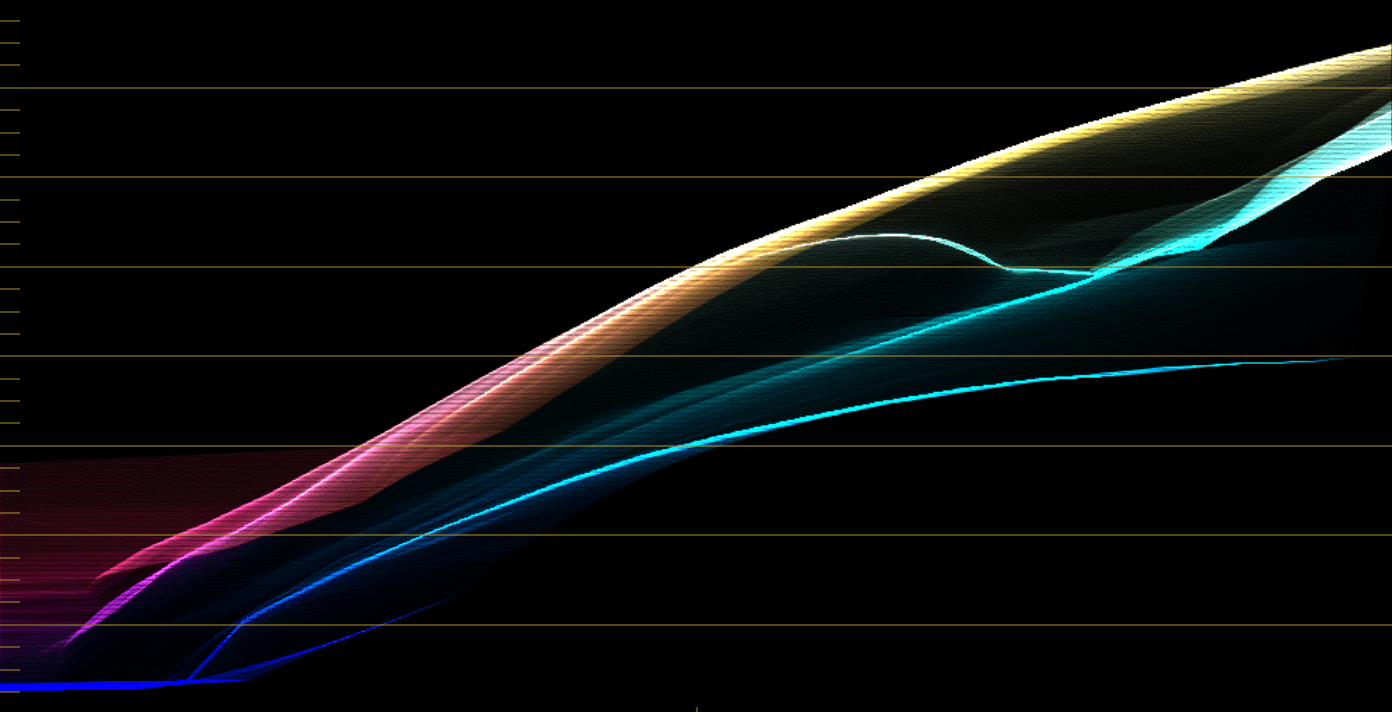
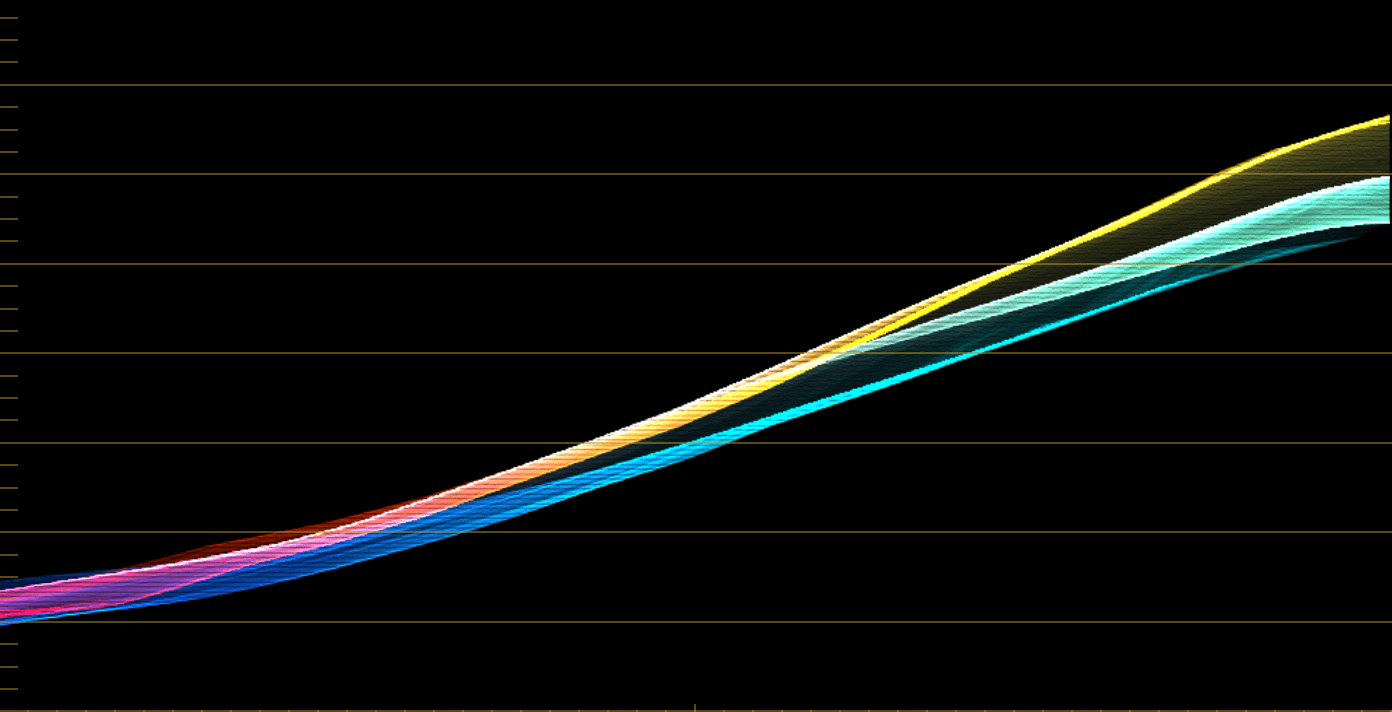
The scopes
The negative step
These LUTs expect a film-negative-like signal going in. Digital to Negative is the DCTL that does exactly that step — it conditions your digital footage into the negative the 2383 print is meant to see, so the LUTs land the way they do in the video. $39, one time, and it comes off EMBR if you go on to it.
— JVKE